The short version
mid-scroll? start here- Check four places before you give up: the pinned comment, the creator’s own replies, the link in their profile, and their website.
- Search the dish plus the creator’s name. Many creators post the full recipe on their site and never link it.
- If it’s only in the video, watch it once, then watch it again and write down one ingredient per pause.
- Write “not given” for any amount you didn’t see or hear, then borrow the missing numbers from a standard recipe for the same dish.
The video is 38 seconds long. The caption says “you NEED this” and nothing else. The comments are four hundred people asking for the recipe, and the creator has answered none of them.
It happens on TikTok, Instagram, Facebook and YouTube Shorts, and it’s usually not on purpose. Captions run out of room, creators post fast, and some of them keep the written recipe on their own site. Meanwhile you’re standing at the stove with the onions already in the pan.
So here’s the fix: four places to look, one search that usually works, and a watch-it-twice method for writing it down when the recipe only exists in the video.
Look where creators actually put it
The recipe is usually written down somewhere. It’s just not where you looked first.
More detail: the older video
If the creator has posted the same dish more than once, check the older one. The first upload often has the full recipe in the caption, and the one that went viral doesn’t.
Search for it
Type the dish and the creator’s name into a search engine. Lots of creators keep a written recipe on their own site without linking it from every video, and a search finds it in one try.
If the dish has a vague name, add a word from the on-screen text, like “sheet pan” or “gochujang.” Creators repeat their own phrases, so the exact words from the video tend to find the exact post.
Found it on their site? Save that link, not the video. The written version has the parts that didn’t fit in 38 seconds.
A video shows you the fold. The page tells you it’s 375°F for 25 minutes. You want both, and the page is the one you can cook from.
Write it down from the video
If it’s nowhere else, you get it from the video itself. It takes a minute or two, and the trick is to watch it twice.
Twice through, pen out
- Watch it once without stopping, so you know how it ends.
- Watch it again and pause every time something goes in. Write the ingredient, then the amount you see or hear.
- Write “not given” for anything with no amount. You’ll fill those in from a standard recipe for the same dish in step 4.
- Note the pan, the heat and the time if they say it. Those are the three things everyone forgets to write.
- Put the creator’s name and the link at the top.
More detail: text that flashes past
If the video has captions, turn them on. Reading “two tablespoons” is easier than hearing it over the music. For text that disappears too fast, press and hold the progress bar and drag slowly. Most apps let you move through a video a moment at a time.
Fill in the gaps before you cook
Your notes will have holes. “Flour, not given.” “Bake until done.” Fill them in now, at the table, not later with your hands in the bowl.
Search a standard recipe for the same dish and borrow the numbers you’re missing. Amounts for a given pan size don’t change much from cook to cook, and the oven temperature almost never does.
Or, if you’re feeling bold, skip the research, fill in the gaps yourself at the stove, and see how it turns out. Worst case, you learn something. Best case, it’s better than the original.
Then cook it once and write down what changed. The second time, it’s your recipe, perfected.
Keep it somewhere you’ll find again
A recipe you worked this hard for shouldn’t go back into your saved folder to be lost with the rest of them. Keep it with your other recipes, with the creator’s name and the link at the top.
Our guide to saving recipes from Instagram and TikTok goes through this properly. In short: give every recipe the same layout (name, source, servings, ingredients, steps, your notes), so you always know where to look. Then file it in a folder named for when you’d cook it, like Weeknights, Worth the effort, Baking or To try, so you can find a recipe by the question you’re actually asking, not by which app it came from. And once a week, go through your new saves: keep the ones you’ll really make, file them, and remove the rest.
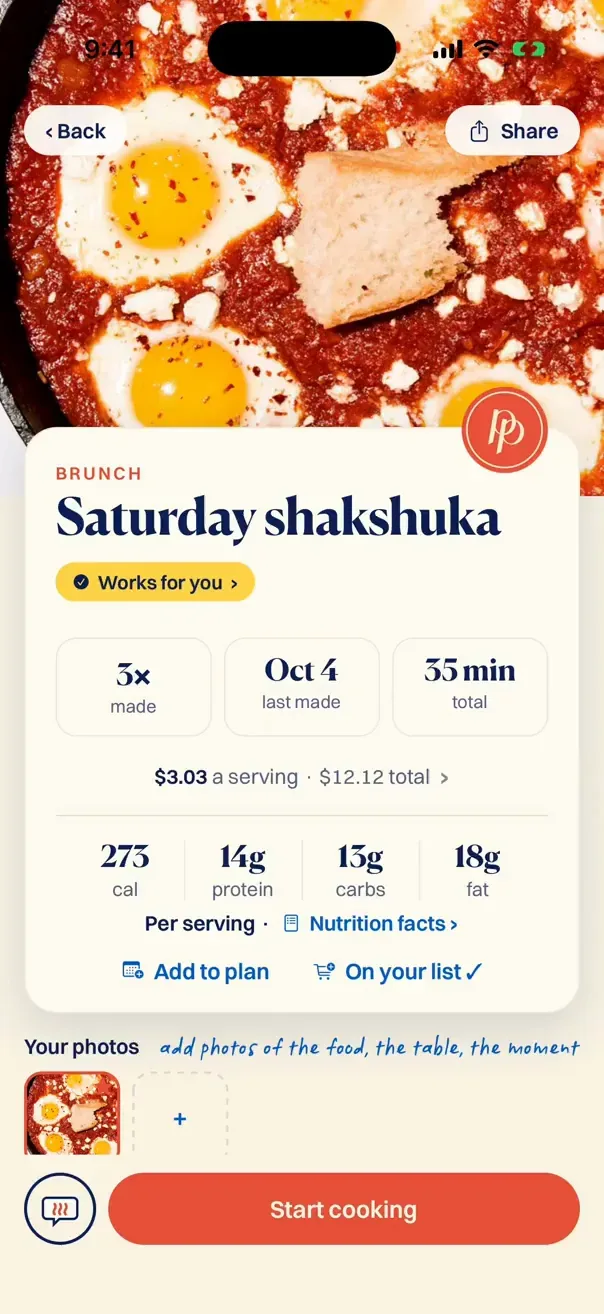
Every recipe in Plated Pages opens the same way: a photo, how long it takes, what a serving costs, the nutrition, how many times you’ve made it, whether it works for everyone you cook for, and one button to start cooking.
Where Plated Pages helps
You can do all of that by hand. We built Plated Pages so you don’t have to.
Share the post or paste the link, and the recipe comes back typed up, tidy and all in one place. When a post’s caption has no recipe, Plated Pages listens to the video and writes the recipe out for you, with the creator’s name on it. It checks with you first before saving.
It works with videos from Instagram, TikTok, Facebook and YouTube Shorts. Ready to cook it? Drop it on any day of your week, and its ingredients go onto one grocery list, sorted by aisle.
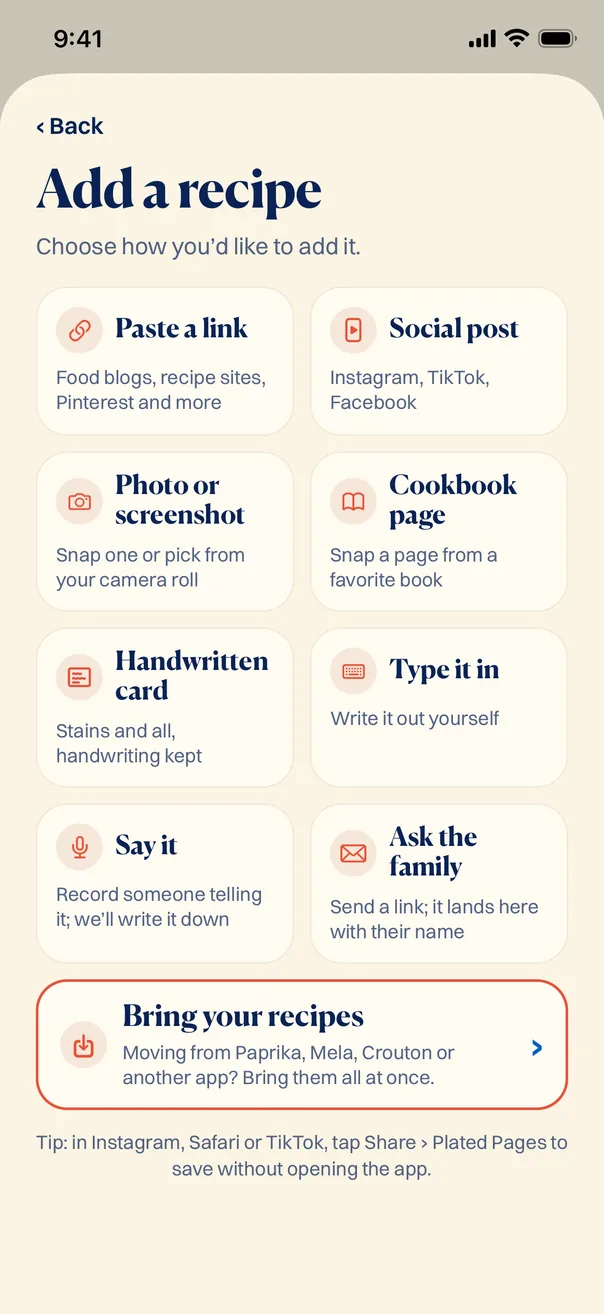
If an amount is only said out loud in a video, check the typed-up version against the video before you cook. Spoken numbers are easy to mishear.
Questions people ask
Why isn’t the recipe in the caption?
Captions have a length limit, so a long recipe doesn’t fit. Many creators put it in a pinned comment or on their own website instead, and some leave it out on purpose so you visit their page. Check the pinned comment, the comments the creator wrote, and the link in their profile before you give up. Once you’ve found it, our guide to saving recipes from Instagram and TikTok covers where to keep it.
How do I find the recipe from a TikTok video?
Tap “more” on the caption first. Then open the comments and look for a pinned one or a reply from the creator. Then tap their profile and follow the link. If it’s still nowhere, search the dish name plus the creator’s name. If it only exists in the video, watch it twice and write down each ingredient as it goes in. Or share the post to Plated Pages, and it writes the recipe out for you, from the caption or from the video itself.
Is there an app that gets the recipe from a video?
Yes. When a post’s caption has no recipe, Plated Pages listens to the video and writes the recipe out for you, with the creator’s name on it. It checks with you first before saving. It works with videos from Instagram, TikTok, Facebook and YouTube Shorts. The link to the original video is saved with the recipe, so you can watch it again anytime, as long as the creator keeps it up. Give the amounts a quick check against the video before you cook, since spoken numbers are easy to mishear.
What if the amounts are only said out loud?
Turn captions on if the video has them, then pause on each ingredient and write the amount you hear. If no amount is given, write “not given” instead of guessing, and fill it in from a standard recipe for the same dish before you cook. In the Plated Pages app, the amounts stated in the video get typed up with the rest of the recipe. Still give them a quick check.
Can I just ask the creator for the recipe?
You can, and a specific question gets answered far more often than “recipe?”, which is the comment they’ve seen four hundred times. Try “How much gochujang went in?” or “What oven temperature?” Then save the answer with the recipe, so you never have to ask twice. In the Plated Pages app, that goes in your notes on the recipe.